Skip to Content

Features


.: Introduction :.

Vox Maris is a technical trainning tool. It is a PC-based simulator to train sea-faring people in the use of GMDSS communications equipment, within a controlled and safe environment.

Vox Maris simulates VHF (DSC), MF/HF (DSC), Navtex, Inmarsat B, SART, Radar, GPS, Portable VHF, EPIRB, RadioTelex and Inmarsat C fully operational features, as far as their GMDSS operational procedures. Others external issues, as real conditions of maritime communications are simulated too.

Vox Maris offers features for two different roles: The instructor of the course and the students.

The instructor designs exercises in order to evaluate knowledges and actions of the students. The exercises can have a specified goal that students would have to reach. Vox Maris helps the instructor to know when a practice is going out of the goal, thus, he can correct the direction of the simulation.

In a simulation excercise, students establish communications using several GMDSS equipments. They have to do the same procedures on the simulator as in the real equipment. The simulator covers all aspects of the GMDSS syllabus and simulates real conditions of marine radio communications.

Up


.: Instructor Workstation's Features :.

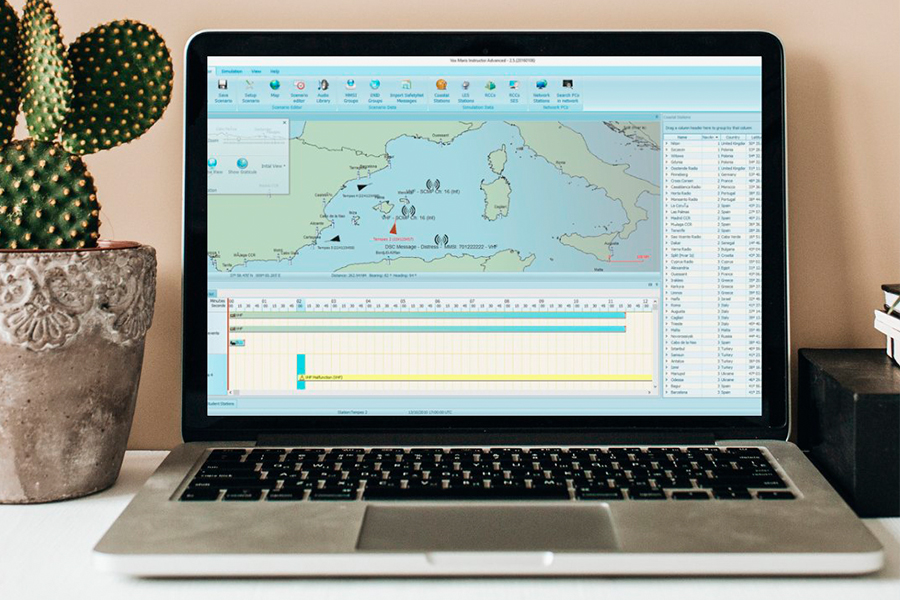
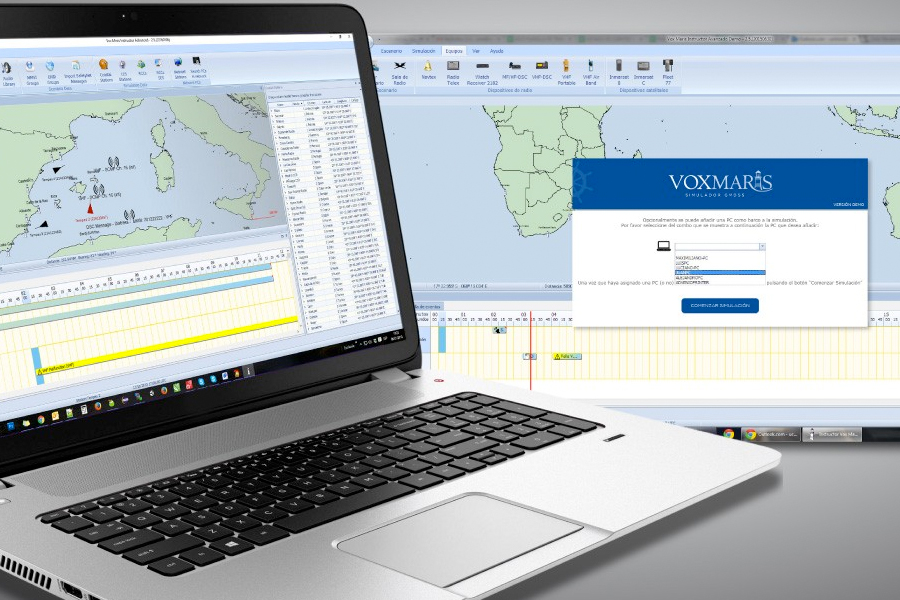
From the Instructor Workstation, the instructor determines the excercise's scenario. He configures the goal of the excercise, fixes work conditions for each student (position, equipment, etc.) and establishes events that will occur along the simulation.

The Instructor application offers features to:

  • Design the excercise and setup simulation's parameters
  • Setup Simulation's day and hour
  • Setup the Scenario
  • Setup Communication conditions
  • Select a Coast Station
  • Distribute the ships into the scenario
  • Schedule SAFETYNET messages
  • Send FLEETNET messages
  • Answer to Inmarsat C Distress message

Instructor Workstation's Features
Click the image for more info


.: Excercise tracking - Student's actions tracking :.


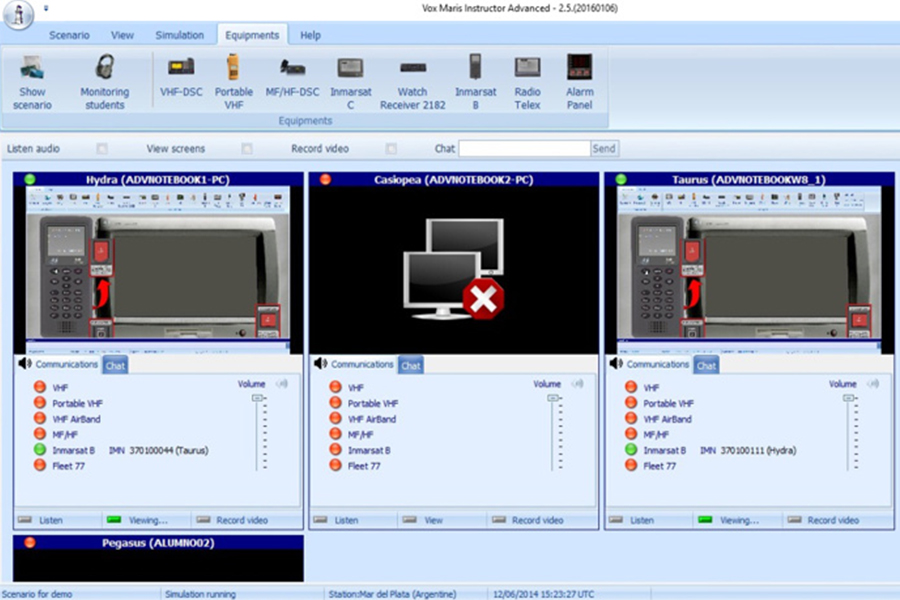
After the simulation begins, the Instructor can evaluate student's actions in real time, monitoring their actions constantly and viewing the equipment's state of each student. This enables him to act in order to correct errors or omissions while them occurs.

The Instructor has an student actions log, where he can monitor the decisions made by each particular student. There are several features that helps the Instructor to evaluate the students and the state of the simulation:

  • Log of students actions
  • Map with Ship's position and coast stations
  • Analysis of the state of each student ship in real time
  • Online chat with the students
Excercise tracking
Click the image for more info


.: Events during the simulation :.

The Instructor also defines events that will occur at different moments whithin the simulation. These events (equipment malfunctions, situations of distress, urgencies, etc.) will force the student to take certain actions in consequence: To use a certain communication equipment, to ask for help, to send a DSC message, etc.
  • Accidents, urgencies, etc. programming
  • Equipment's malfunction programming
  • Transmission of SAFETYNET Messages
  • Transmission of FLEETNET Messages
  • Answer Inmarsat C Distress Messages, playing the role of a LES Station


.: Coastal Station role :.


The Instructor application, during the excercise, plays the role of a coast station wiht a VHF (DSC) radio and a MF/HF(DSC) radio, RadioTelex, Inmarsat B and Inmarsat C terminal. The Instructor can establish audio communications and digital selective calls using VHF and MF/HF equipment. Also, can send SAFETYNET and FLEETNET messages at any moment.


.: Student's Workstation Features :.

The student's workstation shows the communication equipment's interfaces. The students play the role of a marine radio operator and acquires abilities about the several roles where he can act in a real accident. Thus, sometimes, the student will help in a Search and Rescue operation and sometimes he will be the ship in distress. Therefore, the student will participe in excercises that don't imply distress situations, sending messages about security, urgencies or routines communications.


.: Student's Bridge view :.

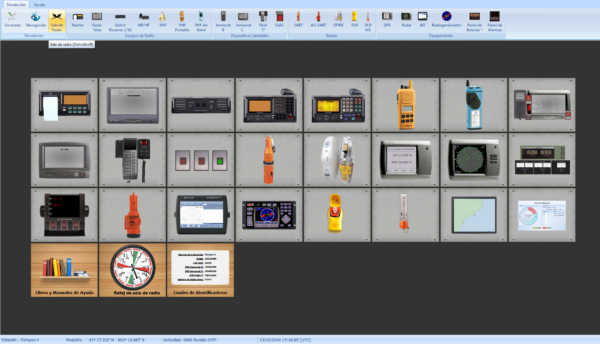
In the student program there is a control panel where all equipment available to the ship is shown. In this window you will see the states of all equipments, and you will access to other functions of the simulator,or just access to any particular equipment in the console. Also when an event happen in any equipment, a visual warning will be displayed.

Student's Bridge view
Click the image for more info


.: User-friendly Graphic Interface :.

The screen interfaces were designed to provide easy operation to the user. The grids offers features that allows sorting, filtering and grouping data.
The main screen of the Instructor has customizable floating panels to show data, and this configuration is preserved when the application closes.


.: Communications equipment :.


Each radio equipment is based on real radio equipment, actually found in market. From each one, the main functions and characteristics were taken and others were simplified by adding new keys. This simplification has as objective to allow students a faster learning about GMDSS main concepts without have to know the operation of each radio equipment.

Vox Maris shows the simulated equipment as real as a radio communication equipment found on board. In this way students will not have many difficulties at the moment of operating a real radio equipment, only it will have to learn the particular functions of equipment prensent at the ship.

The main objetive of radio equipment screens, is to present student a version near reality about radio equipment operation, in this way students will be trained at the time of operating a real radio equipment.


.: Hardware and Software Requeriments :.

Vox Maris does not require special hardware to its normal operation. It uses hardware and software of current use.

Works on a TCP/IP LAN (Local Area Network), all audio and data messages are transmitted using only the network.

The capture of audio in real time, does not require more than of a microphone connected to the PC. It's transmitted to the other stations under UDP protocol (always on the same local network), and in the receiving stations the audio is reproduced in real time, through the speakers connected to the PC.

Instructor

  • CPU Pentium Dual Core or above
  • Operating System Windows XP
  • Memory 1 GB Ram
  • Installation 1 GB free hard disk space
  • Sound Card 16 bits Sound card or above
  • Network LAN 10/100 MBPS
  • Input Devices Microphone and speakers, Keyboard and mouse
  • Minimun resolution 1280x1024
Student
  • CPU Pentium Dual Core or above
  • Operating System Windows XP
  • Memory 1 GB Ram
  • Installation 1 GB free hard disk space
  • Sound Card 16 bits Sound card or above
  • Network LAN 10/100 MBPS
  • Input Devices Microphone and speakers, Keyboard and mouse
  • Minimun resolution 1280x1024